ZPin
Offline prize wheel for trade shows, promos, and corporate events.
ZPin is a fully offline prize-wheel desktop app — Canvas-rendered spin physics, weighted probability per slice, finite inventory (depleted prizes auto-grey out), velocity-driven tick audio, USB-clicker support, and a Ctrl+Shift+A admin panel for live configuration of prizes, colors, logo, and background. Ships as a Windows installer and macOS .dmg/.zip; runs without ever touching the network.
- TypeScript
- Electron 33
- React 18
- Vite
- electron-vite
- Tailwind CSS
- Web Audio API
- Canvas API
- electron-builder
- Inno Setup
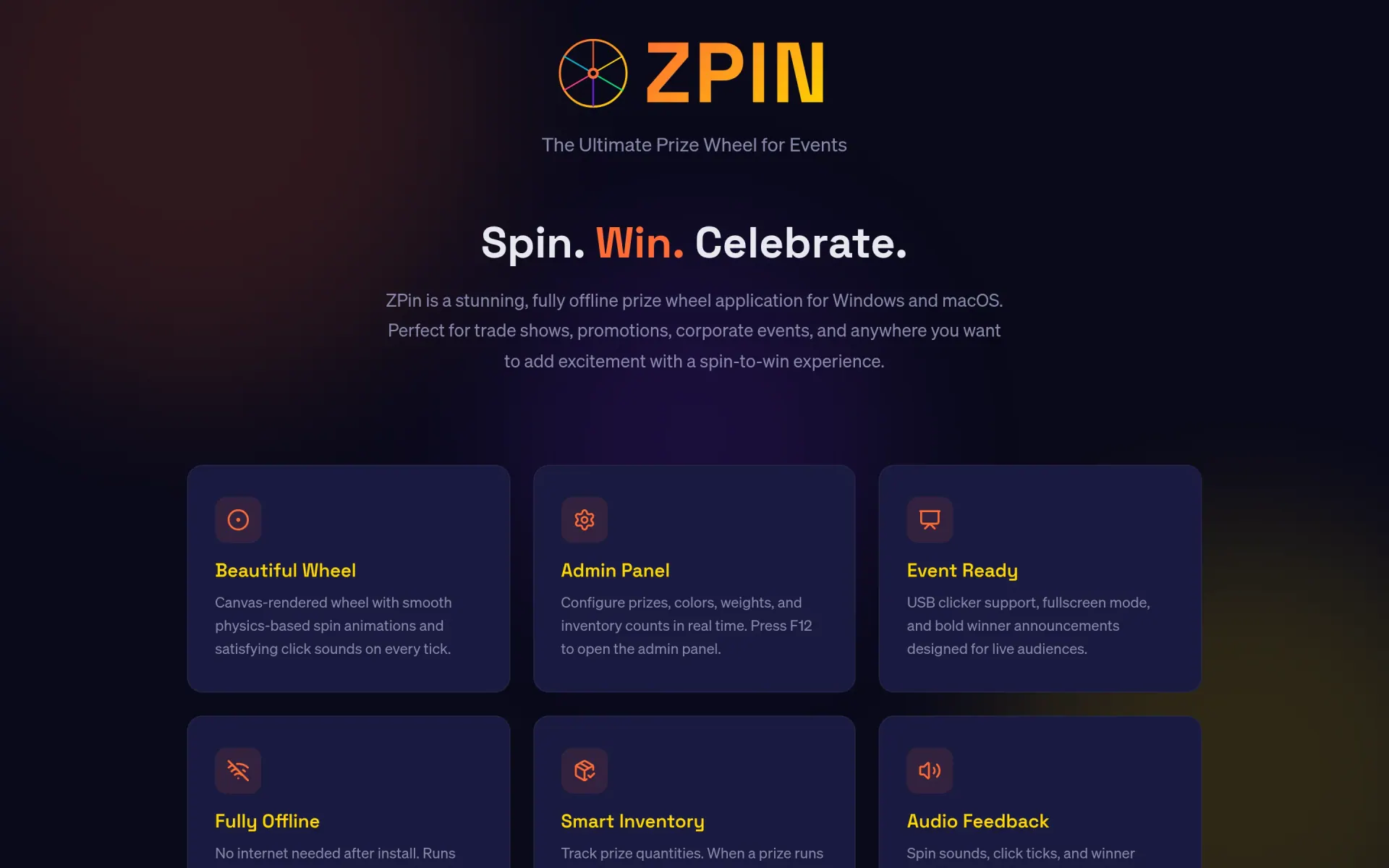
ZPin is a desktop prize-wheel app built for venues that don't trust the wifi — trade-show booths, corporate parties, retail spin-to-wins. Plug a USB clicker in, hit PageDown, watch the wheel decelerate with velocity-matched tick audio, and dismiss the confetti overlay with the same key. The whole thing runs from a single installer; configuration lives on disk; the network can be unplugged for the entire event and nothing notices.
What's actually being modelled
- Weighted slice probability with live-displayed percentages — set a weight per prize, the wheel renders the true odds. Probability summary shown next to the prize list in the admin panel.
- Finite inventory per prize — give a slice a quantity, it greys out + drops from future spins once the won-count hits the cap. Quantity 0 means unlimited. Won-counters can be reset without touching the prize list.
- Velocity-driven audio via Web Audio — tick pitch and volume scale with angular velocity, so the wheel sounds frantic when fast and tense when crawling toward the finish line. Pop on win, fanfare on rare prizes.
- Live admin panel behind Ctrl+Shift+A — prizes, slice colors, text colors, center-hub logo, background image (or radial-gradient fallback with configurable inner/outer colors). Changes apply immediately; nothing requires a relaunch.
- USB-clicker friendly — PageDown triggers a spin, so any presentation remote becomes a wheel pedal. Space, ArrowRight, and click also work; F11 toggles fullscreen for kiosk mode.
- Persistent config at
%APPDATA%/zpin/config.jsonon Windows (and the macOS equivalent). Survives upgrades, can be backed up or synced manually between machines.
How it's built
Electron 33 shell with a React 18 + TypeScript renderer compiled by electron-vite. The wheel itself is rendered to a Canvas with a custom physics integrator — angular velocity decays naturally to a stop, no precomputed end-state. Audio is the Web Audio API directly (not a library), so the velocity-coupled tick is a single oscillator whose frequency tracks the wheel's RPM. Styling is Tailwind. Packaging is electron-builder for Mac + portable Windows; a separate Inno Setup 6 pass produces the proper Windows installer.
Why "ZPin"
Originally built for a single client booth, then it kept getting asked for. The offline guarantee turned out to be the real feature — convention-center wifi is famously hostile to anything interactive, and a prize wheel that throws a network error in front of a customer is worse than no prize wheel at all. ZPin just spins.
Straight from the source
The project's own README.
Rendered in place — every link, image, and code block carried over from the repo. The page below is what a contributor would see opening the project for the first time.
zpin
Offline prize wheel app for Windows — spin to win at events, trade shows, and promotions.
Features
- Canvas-rendered prize wheel with smooth spin animations and natural deceleration
- Velocity-driven tick audio — louder and higher-pitched when fast, softer as the wheel slows
- Weighted probability per prize segment with live percentage display
- Prize inventory tracking (finite quantities, auto-greyed when depleted)
- Confetti emoji celebration on every win
- Admin panel for live configuration (prizes, colors, logo, background, gradient)
- USB clicker / presentation remote support (PageDown triggers spin)
- Fully offline — no internet required after install
- Persistent configuration across sessions (
%APPDATA%/zpin/config.json)
Controls
| Key | Action |
|---|---|
| Space / ArrowRight / Click | Spin the wheel |
| PageDown (USB clicker) | Spin the wheel |
| Ctrl+Shift+A | Toggle admin panel |
| F11 | Toggle fullscreen |
| Space / Enter / Escape | Dismiss win overlay |
Admin Panel
Press Ctrl+Shift+A to open the admin panel. A gear icon will appear in the top-right corner for quick access afterward.
Prizes
- Add, remove, and rename prize segments
- Set weight per prize (higher = more likely). Probability % is shown live
- Set quantity (0 = unlimited). When a prize's won count reaches its quantity, it greys out on the wheel and is excluded from future spins
- Won counter tracks how many times each prize has been won
- "Reset Won Counts" zeroes all counters without changing the prize list
Colors
- Slice Color 1 / 2 — alternating segment colors on the wheel
- Text on Color 1 / 2 — text color for each slice type
Tip: Keep an even number of prizes to ensure the two slice colors alternate cleanly. With an odd count, two adjacent slices will share the same color. The default lineup includes "Free Spin" to maintain an even 12.
Images
- Logo — displayed in the wheel's center hub. Preview always visible (custom or default Doka logo)
- Background — upload a custom background image, or use the built-in gradient
- Gradient Colors — when no custom background is set, you can customize the center and edge colors of the radial gradient
Tech Stack
| Technology | Role |
|---|---|
| Electron 33 | Desktop shell, system tray, file I/O |
| electron-vite | Dev server, HMR, build pipeline |
| React 18 | UI components |
| TypeScript | Type safety across main + renderer |
| Tailwind CSS | Styling |
| Web Audio API | Velocity-driven tick sounds, pop, fanfare |
| Canvas API | Wheel rendering and animation |
| electron-builder | Windows packaging |
| Inno Setup 6 | Windows installer |
| just | Task runner |
Quick Start
Prerequisites: Node.js 20+, just
just install   # install dependencies
just dev       # launch with hot reload
Build Commands
| Command | Description |
|---|---|
just install |
Install npm dependencies |
just dev |
Start dev server with hot reload |
just build |
Build renderer + main process (no installer) |
just package |
Package for Windows (unpacked directory) |
just installer |
Build Inno Setup installer (.exe) |
just zip |
Create portable zip distribution |
just release |
Build everything: installer + portable zip |
just deploy |
Upload release artifacts to zpinwheel.download |
just check-version |
Verify package.json and zpin.iss versions match |
just deploy-status |
Check currently deployed version |
just clean |
Remove out/ and release/ directories |
Project Structure
src/
├── main/
│   └── index.ts              # Electron main process
├── preload/
│   ├── index.ts              # Context bridge (IPC)
│   └── index.d.ts            # Preload type declarations
└── renderer/
    ├── index.html
    ├── public/
    │   ├── audio/            # click, pop, fanfare sounds
    │   └── img/              # default logo
    └── src/
        ├── main.tsx          # React entry point
        ├── App.tsx           # Root component, config persistence
        ├── index.css         # Tailwind + global styles
        ├── components/
        │   ├── Wheel.tsx     # Canvas wheel + spin physics + audio
        │   ├── AdminPanel.tsx# Prize/config editor
        │   └── WinOverlay.tsx# Winner announcement + confetti
        └── lib/
            └── defaults.ts   # Default config + Prize types
Configuration
Config is stored at %APPDATA%/zpin/config.json and persists across sessions. All settings are managed through the admin panel (Ctrl+Shift+A).
Deployment
Release builds are created locally and deployed via just release && just deploy:
electron-vite buildcompiles the appelectron-builderpackages for Windows- Inno Setup creates the installer
.exe - PowerShell creates the portable
.zip just deployuploads artifacts +latest.jsonmanifest to zpinwheel.download
License
Proprietary. All rights reserved.
Build something like this
Want a tool like this for your shop?
We've shipped this kind of thing before. Twenty-minute intro call, no slides.