

XRPG Engine
An AI-narrated browser RPG framework. One codebase, many worlds.
XRPG is a self-contained framework for AI-narrated browser RPGs. Passkey-only auth, deterministic ruleset, deep character progression, and a multi-instance deployment model — one repo ships Tulpa (dark high fantasy), Grim Syndicate (cyberpunk), and any future world that wants to inherit the bones. The game on top brings narration, art, and tone; the engine handles everything underneath.
- Python
- FastAPI
- PostgreSQL
- SQLAlchemy
- Jinja2
- WebAuthn
- OpenRouter
- Apache
- systemd
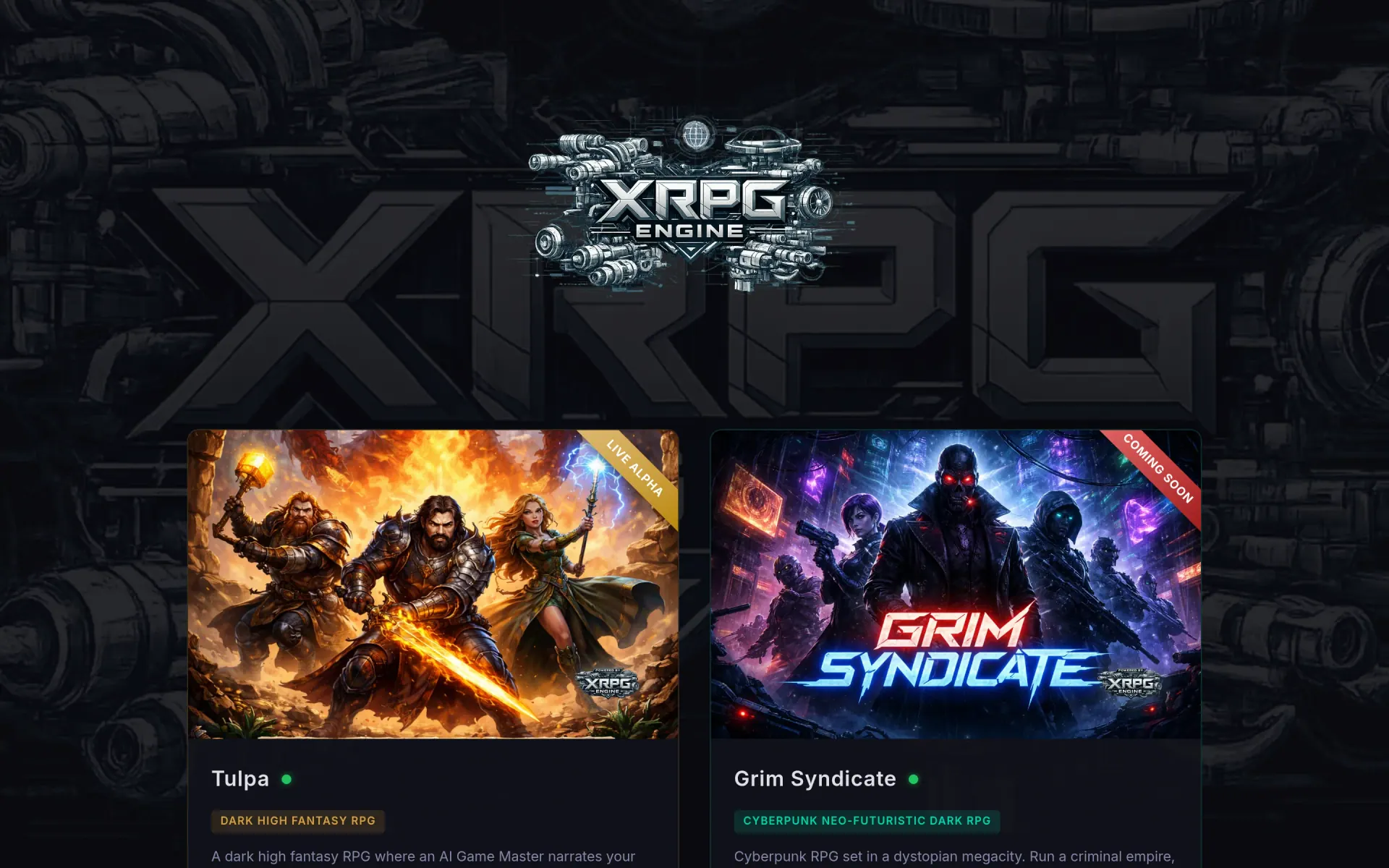


XRPG is a from-scratch framework for the browser — the same skeleton powers Tulpa (dark high fantasy), Grim Syndicate (cyberpunk), and any future world that wants to inherit the bones. The contract is simple: the engine handles auth, character state, theming, persistence, the deterministic side of the ruleset, and the LLM-narration plumbing; the game on top brings tone, art, and the world's specific rules.
Multi-instance, one codebase
A single git repo deploys as many instances as you want —
each with its own database, branding, terminology, port, and
theme. Configuration lives in a per-deployment
.instance file plus a
metagame_config table; the codebase reads which
instance it's running as at boot and adjusts. Adding a new
world is a config-and-art exercise, not a fork.
What the engine actually gives you
- Passkey-only authentication via WebAuthn — passwordless login, registration, and recovery wired to rate limiting and suspicious-activity detection. No passwords to leak, no resets to engineer.
- Deterministic ruleset — stats roll, loot drops with affixes and rarity tiers, energy decays, levels gate progress. The narration layer never has to be trusted with the math; it gets to spin the colour around the dice.
- Persistent world state — locations, NPCs, scenarios, and items remember what happened. Wander off the map and the world grows to fill the space — for you and for whoever follows.
- Energy economy instead of HP. Exploration, combat, and spellcasting all draw from a token-aware pool that ties gameplay directly to the real cost of LLM inference. Run dry and the campaign sleeps until you recover.
- PvP arena with power-level matchmaking, multi-round combat, and chronicles you can re-read. Built once at the engine layer, available to every instance.
- Admin UI for keys + config — model routing, system prompts, content tuning, encrypted API keys stored in the database (never in config files). Run the engine on free OpenRouter models or paid ones, flip per-instance.
How it's built
Python 3.10 + FastAPI on PostgreSQL (async via SQLAlchemy +
asyncpg), rendering Jinja2 templates with vanilla JS — no
React, no bundler, no build step. The narrator pipeline talks
to OpenRouter; auth is WebAuthn passkeys via the
webauthn package. Apache fronts each instance as
a reverse proxy with Let's Encrypt SSL; systemd runs each one
as an unprivileged user with its own database.
The two worlds shipped on it
Tulpa is the long-form text RPG — improvised AI dungeons, persistent world memory, the works. Read the full piece in the Tulpa exhibit. Grim Syndicate is the cyberpunk counterpart — same engine, different tone, different rules layered on top. The gateway at xrpg.win is where both surface to the wider world.
Straight from the source
The project's own README.
Rendered in place — every link, image, and code block carried over from the repo. The page below is what a contributor would see opening the project for the first time.
Multi-Instance Architecture
Overview
XRPG Engine supports multiple deployments from a single git repository. Each deployment is an instance with its own database, branding, terminology, and theme colors — all configured at runtime via a .instance file and the metagame_config database table.
Current Instances
| Instance | Server | Path | Port | Service | DB | Domain |
|---|---|---|---|---|---|---|
| Tulpa | Server A | /var/www/tulpa |
8420 | tulpa |
tulpa |
tulpa.gamingworld.uk |
| XRPG Engine | Server B | /srv/xrpg.gamingworld.uk |
8421 | xrpg |
db_xrpg |
xrpg.gamingworld.uk |
| Grim Syndicate | Server B | /srv/grimsyndicate.gamingworld.uk |
8422 | grimsyndicate |
db_grimsyndicate |
grimsyndicate.gamingworld.uk |
Note: Actual server IPs are stored in each instance's
.deploy_targetsfile (gitignored).
.instance File
Each deployment has a .instance JSON file in its project root (gitignored). This file tells the codebase and scripts which instance they're running as.
{
    "app_name": "Grim Syndicate",
    "domain": "grimsyndicate.gamingworld.uk",
    "port": 8422,
    "db_name": "db_grimsyndicate",
    "db_user": "grimsyndicate",
    "cookie_name": "grim_session",
    "service_name": "grimsyndicate"
}
Keys
| Key | Required | Description |
|---|---|---|
app_name |
Yes | Display name used in templates, nav, footer |
domain |
Yes | Public domain for URLs and CORS |
port |
Yes | Port uvicorn listens on |
db_name |
Yes | PostgreSQL database name |
db_user |
Yes | PostgreSQL user |
cookie_name |
Yes | Session cookie name (must be unique per instance on same server) |
service_name |
Yes | systemd service name |
If .instance is missing, the app reads from app/core/config.py defaults (XRPG Engine generic).
Metagame Config System
The metagame_config database table stores per-instance settings that override code defaults. This powers:
- Branding: logos, hero backgrounds, splash images, favicons, OG images
- Content: landing page copy (3 blurbs)
- Terminology: entity terms, currency names, magic terms
- SEO: meta descriptions
- Theme colors: per-theme accent, background, and text colors
Fallback Chain
- Database (
metagame_configtable) — checked on every page load viaget_metagame(db) - Code defaults (
METAGAME_DEFAULTSinseed_metagame.py) — white-label greyscale - CSS defaults (
theme.css) — neutral greyscale variables
Managing Config
- Admin UI: Visit
/admin?tab=metagameto edit all keys in-browser - Seed script:
seed_metagame()runs on startup — only inserts keys that don't exist yet (never overwrites) - Direct SQL:
UPDATE metagame_config SET value = '...' WHERE key = '...';
Theme Customization
How It Works
theme.cssdefines greyscale defaults for all CSS variables (white-label baseline)base.htmlchecks metagametheme_*keys and injects a<style>block that overrides CSS variables- Each instance sets its own accent colors in the DB
Theme Keys
| Key | Description |
|---|---|
theme_dark_accent_1 |
Dark mode primary accent hex (e.g., #c8a44e) |
theme_dark_bg_primary |
Dark mode background hex |
theme_dark_text_primary |
Dark mode text hex |
theme_dark_text_accent |
Dark mode accent text hex |
theme_light_accent_1 |
Light mode primary accent hex (e.g., #3d8eb9) |
theme_light_bg_primary |
Light mode background hex |
theme_light_text_primary |
Light mode text hex |
theme_light_text_accent |
Light mode accent text hex |
If all theme keys are empty, the instance uses greyscale CSS defaults.
Instance Palettes
- Tulpa: Amber/gold dark (
#c8a44e), blue/ice light (#3d8eb9) - Grim Syndicate: Matrix neon green dark (
#00ff41), forest green light (#1a5c2a) - XRPG Engine: Greyscale (no overrides)
Asset Management
Branding Images
Instance-specific images (logos, splash art) are stored in app/static/images/ which is gitignored. Each instance has its own set of images.
Metagame keys control which images appear:
logo_dark_path/logo_light_path— nav and footer logoshero_bg_dark_path/hero_bg_light_path— landing page hero backgroundsplash_image_path— bottom splash image on landing page
Fallbacks
If image paths are empty:
- Nav/footer logos: Lucide
gamepad-2icon is shown instead - Hero background: The gradient overlay handles the look (no image needed)
- Splash image: Section is hidden entirely
Adding a New Instance
- Create the deployment directory and clone the repo
- Create
.instancewith the instance's config - Create the PostgreSQL database and user
- Create a systemd service (copy from existing, change port/paths)
- Set up the reverse proxy (Nginx/Apache vhost)
- Run
bash scripts/install.shto set up the venv - Start the service — tables are auto-created, metagame is seeded with defaults
- Customize via admin UI at
/admin?tab=metagame— set theme colors, terminology, branding paths - Generate/upload branding images to
app/static/images/
CI/CD Workflow
Single Instance Deploy
sudo bash scripts/deploy.sh      # Restart current instance
sudo bash scripts/auto_deploy.sh  # Pull + install + restart
Deploy All Instances
bash scripts/sync_all.sh # Push to origin + deploy to all instances
This pushes to git, then runs auto_deploy.sh on each local and remote instance.
Instance-Aware Scripts
All scripts in scripts/ source _instance.sh which reads .instance and exports:
$PROJECT_DIR— project root path$INST_APP_NAME— display name$INST_PORT— port number$INST_DB_NAME— database name$INST_DB_USER— database user$INST_SERVICE— systemd service name
This means deploy.sh, check.sh, backup.sh, etc. automatically target the correct instance based on which directory they're run from.
Build something like this
Want a tool like this for your shop?
We've shipped this kind of thing before. Twenty-minute intro call, no slides.