
SSHore
SSH-mounted remote drives, dressed up for Windows 11.
SSHore is a Windows 11 desktop utility that maps remote server folders as persistent network drives over SSH — encrypted credentials, real diagnostics, silent tray operation. It replaces fragile batch scripts with a clean GUI built on WinFsp + SSHFS-Win, and ships as a single signed installer.
- Electron
- JavaScript
- HTML
- CSS
- WinFsp
- SSHFS-Win
- NSIS
- Windows DPAPI



SSHore replaces the brittle ritual of net use, batch files, and
plaintext passwords with a single Windows 11 utility that mounts remote
SSH directories as real drive letters. It pairs the open-source
WinFsp filesystem with
SSHFS-Win and wraps them
in a polished Electron front-end so non-engineers can map a server in two
clicks and still get diagnostics an engineer would respect.
What it does
- Live dashboard of every configured server with connected / failed / disconnected status badges.
- One-click mount & unmount for each drive letter, including silent reconnect on resume from sleep.
- Encrypted credentials via Electron
safeStorage(Windows DPAPI) — passwords never touch disk in plaintext. - Key-based auth with the
id_rsapermission quirk handled automatically. - Plain-English diagnostics that translate
net use's legendary System error 5 / 67 / 85 / 1219 into a checklist of what to actually fix. - Dependency checker that detects missing WinFsp or SSHFS-Win and walks the user through installation.
- Silent tray mode with start-with-Windows so the drives are just there when the user signs in.
How it ships
Built with Electron + a hand-written CSS theming layer
(dark + light, live-swapping titlebar). Packaged with
electron-builder to a single
SSHore-Setup-<version>.exe. The installer is unsigned
today — Windows SmartScreen warns once, then SSHore runs locally
forever after.
Why we built it
Every shop with remote servers eventually re-implements the same
half-broken net use wrapper. SSHore is that wrapper, but
actually finished — credential storage solved, error messages translated,
dependencies handled, autostart wired in. One install, no scripts in the
repo for new hires to copy-paste from.
Straight from the source
The project's own README.
Rendered in place — every link, image, and code block carried over from the repo. The page below is what a contributor would see opening the project for the first time.
SSHore
Securely map remote directories as local drives on Windows 11.
SSHore is a Windows 11 desktop utility by Meiux Meiux that maps remote server folders as persistent network drives over SSH, using WinFsp and SSHFS-Win.
It replaces fragile batch scripts with a clean GUI, encrypted credentials, human-readable diagnostics, and silent background operation.
- Publisher: Meiux Meiux
- Website: https://sshore.gamingworld.uk
- Download: https://sshore.gamingworld.uk/download.html
- Platform: Windows 11 (x64) only
Features
- Dashboard of configured servers with live status (connected / failed / disconnected).
- One-click mount and unmount of each drive letter.
- Password and key-based SSH authentication (handles the
id_rsaquirk). - Encrypted credential storage via Electron
safeStorage(Windows DPAPI). - Dependency checker — detects WinFsp and SSHFS-Win and walks the user through installation if they are missing.
- Plain-English diagnostics for common
net useerrors (System error 5, 67, 85, 1219, ...). - Dark and light themes, with a live-swapping titlebar.
- Start-with-Windows + silent tray mode.
A guided tour
What follows is every screen you'll meet, in the order you'll meet them.
01 · First look — the landing page
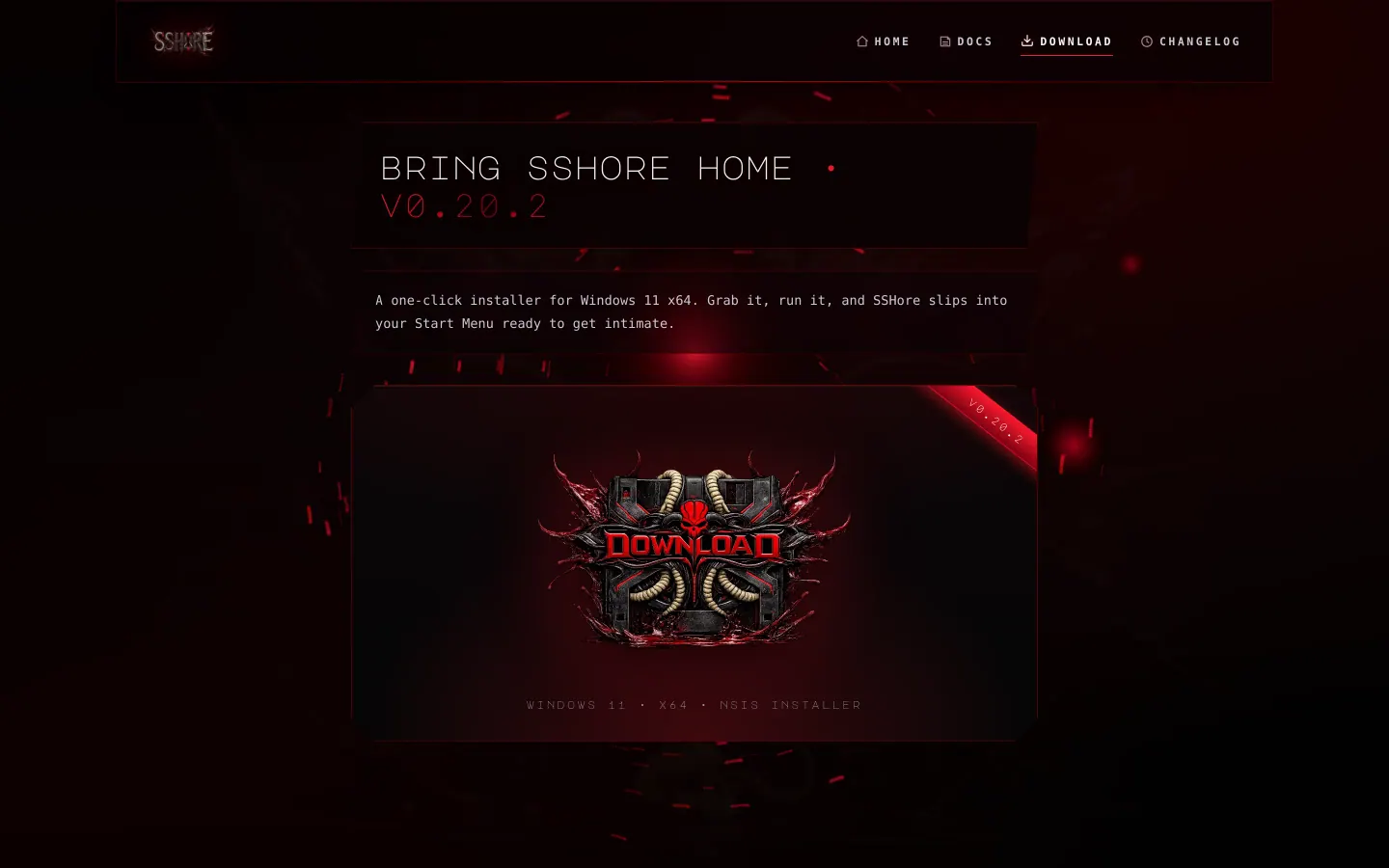
Every visit starts at https://sshore.gamingworld.uk. Short pitch, mega download button, enough garnet glow to make it clear this is not your grandmother's file-manager.

Hit Download and Windows hands you a single
SSHore-Setup-<version>.exe wearing this little garnet crest. One file,
one fingertip.
02–04 · The install dance
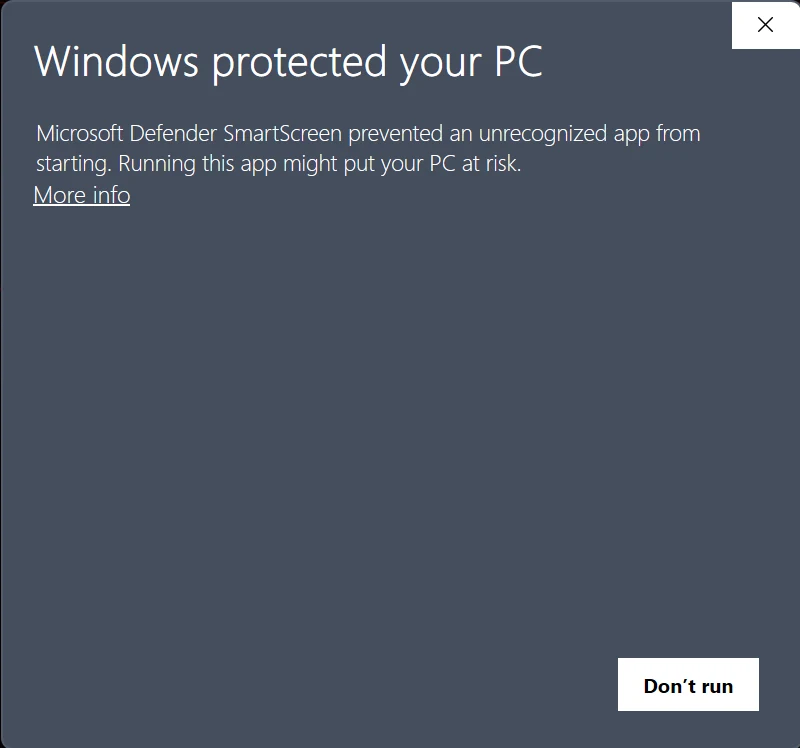
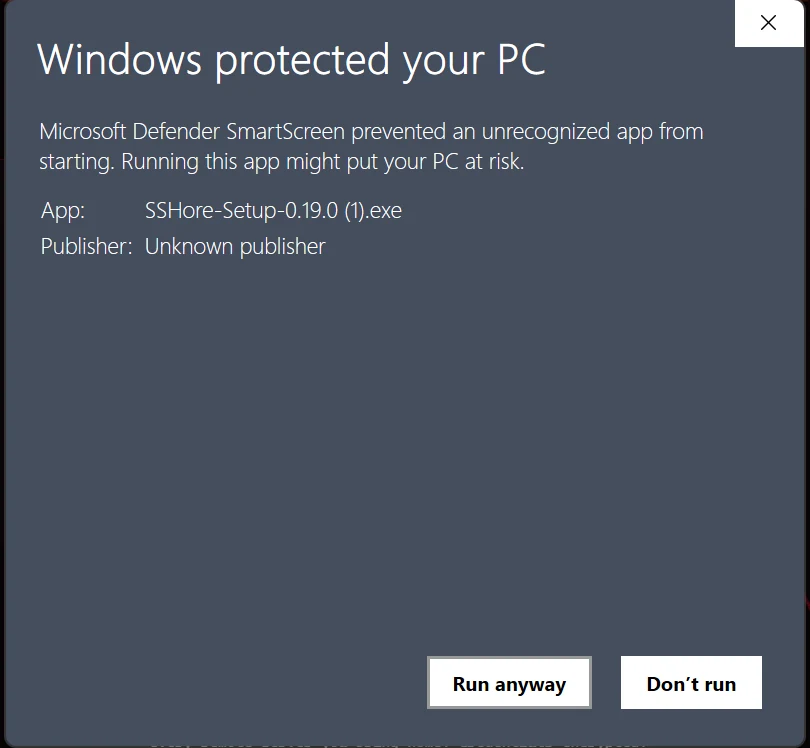
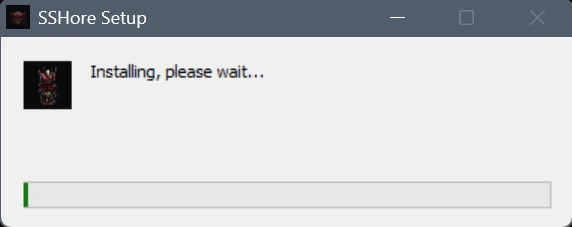
Because SSHore isn't EV-signed yet, Windows SmartScreen flutters its eyelashes and asks if you really meant this. You did. Click More info and then Run anyway. The install itself is silent and finishes in seconds — any welcome / dependency chatter happens in the app's first-run flow, not in the installer.
05 · The dashboard — your home view
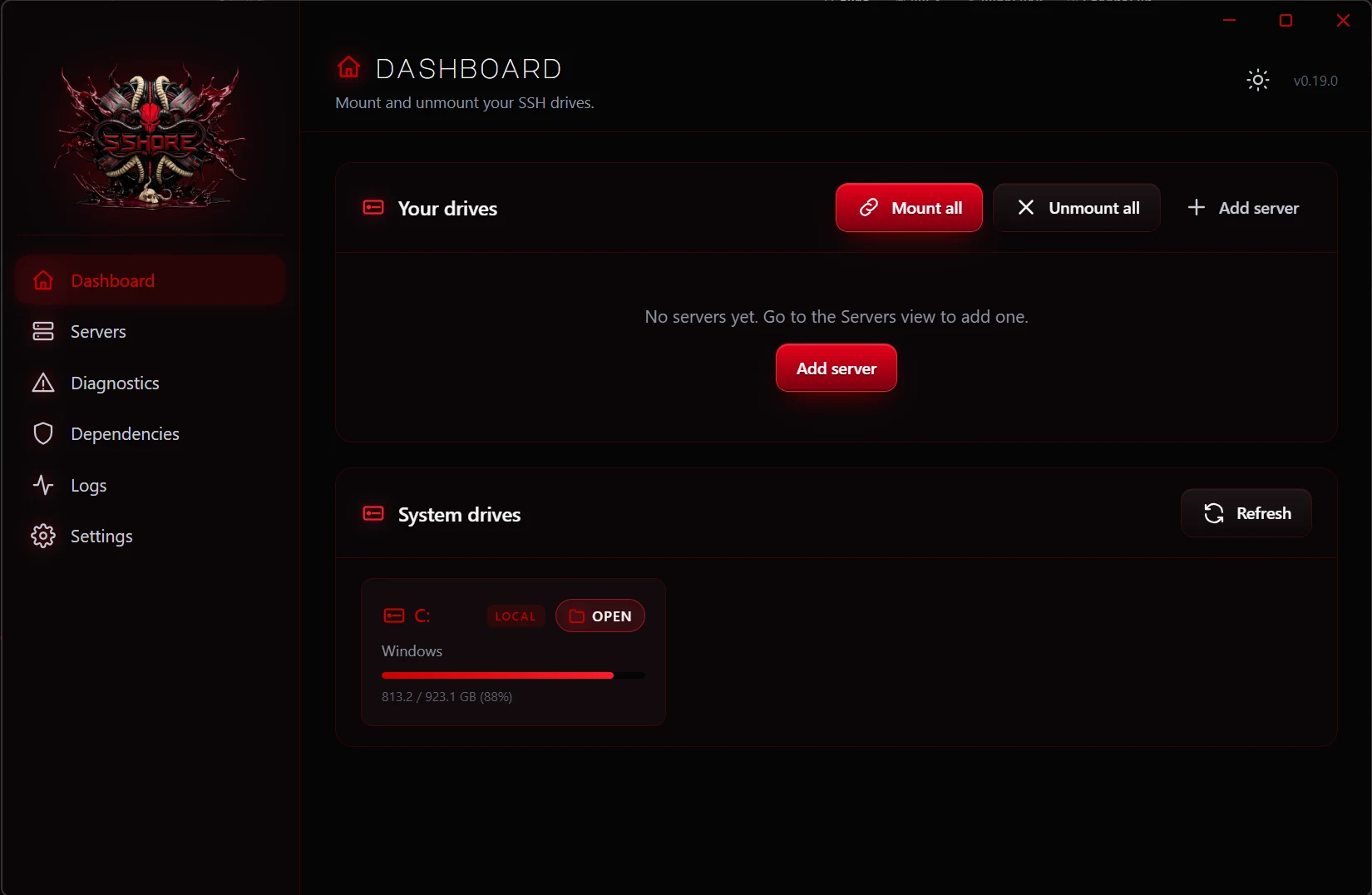
First launch drops you on the dashboard. Empty at first, because SSHore respects the pace of a new relationship. The top strip shows mount-all / unmount-all controls, and every server you add gets a live-status row below.
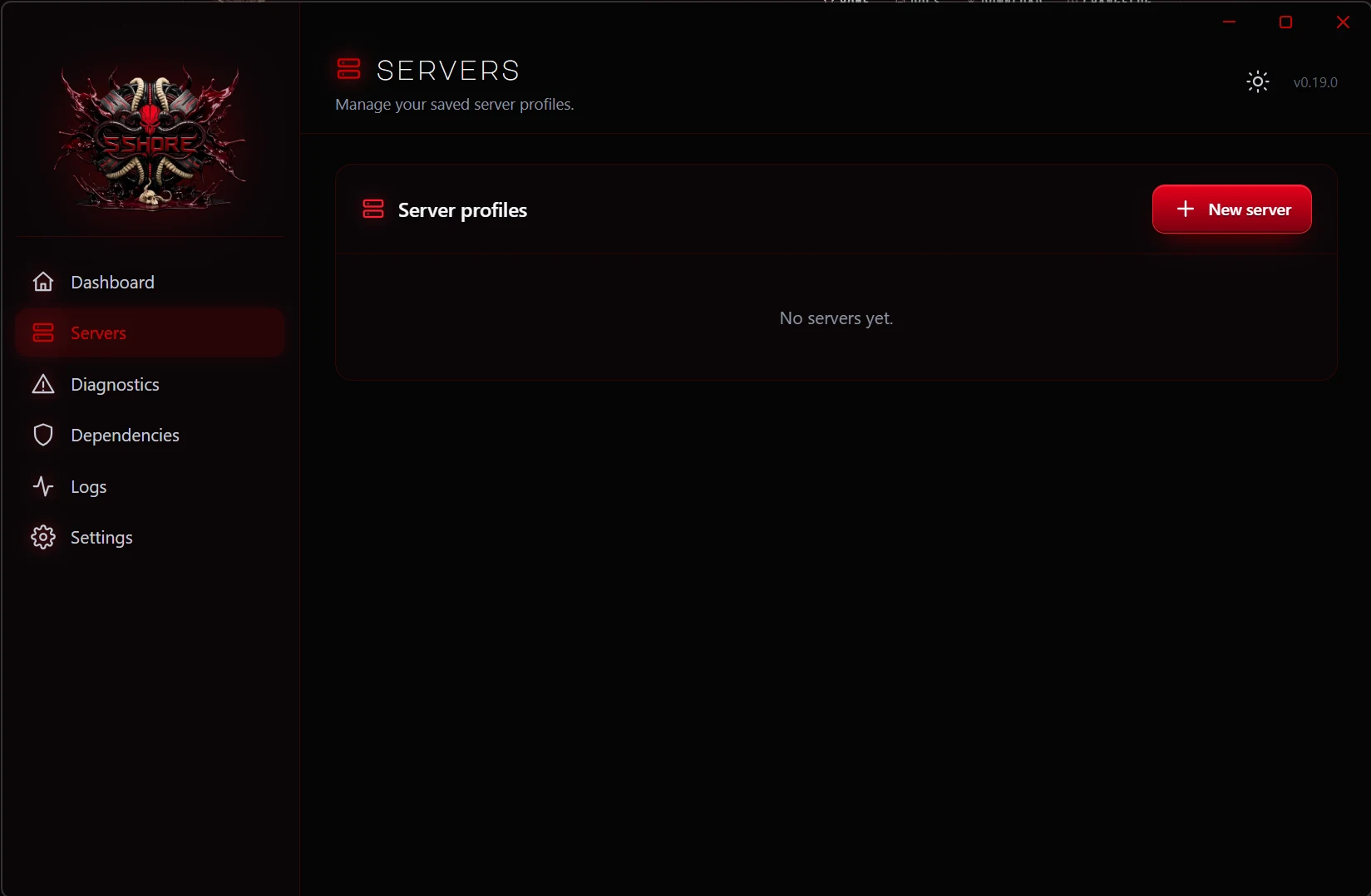
06 · Servers — every relationship on its own card
The Servers view is where every connection lives. Each card holds a host, a user, a drive letter, and the quiet little red dot that tells you whether SSHore currently remembers anything about this one.
07 · Adding and editing
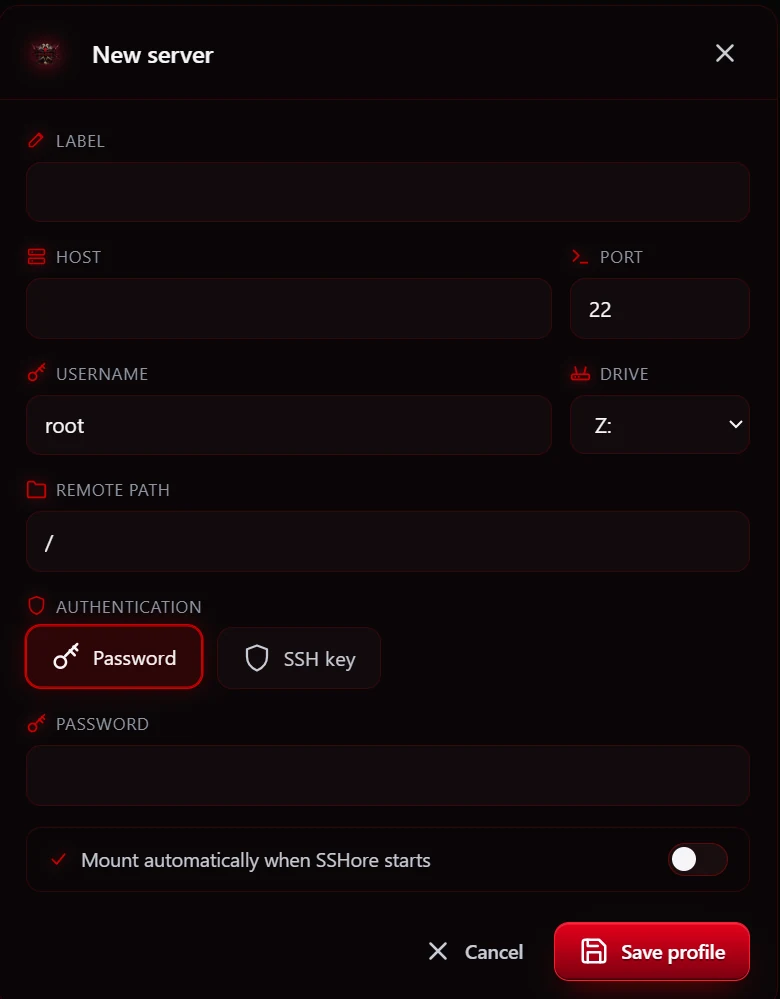
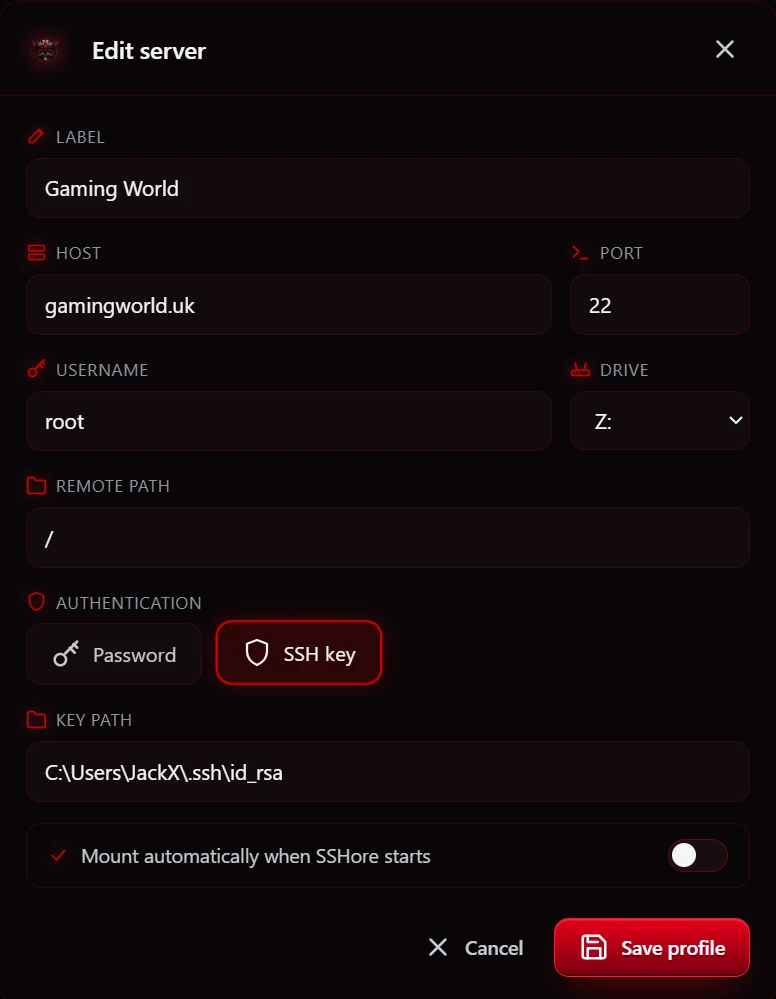
Add server opens a dialog with the fields SSHore needs to be properly introduced. Picking between a password and an SSH key is done with a segmented pill picker — no grey 1998 radio buttons. Editing an existing profile opens the same dialog pre-filled; your password stays sealed unless you type a new one.
08 · Mounting — the moment of contact
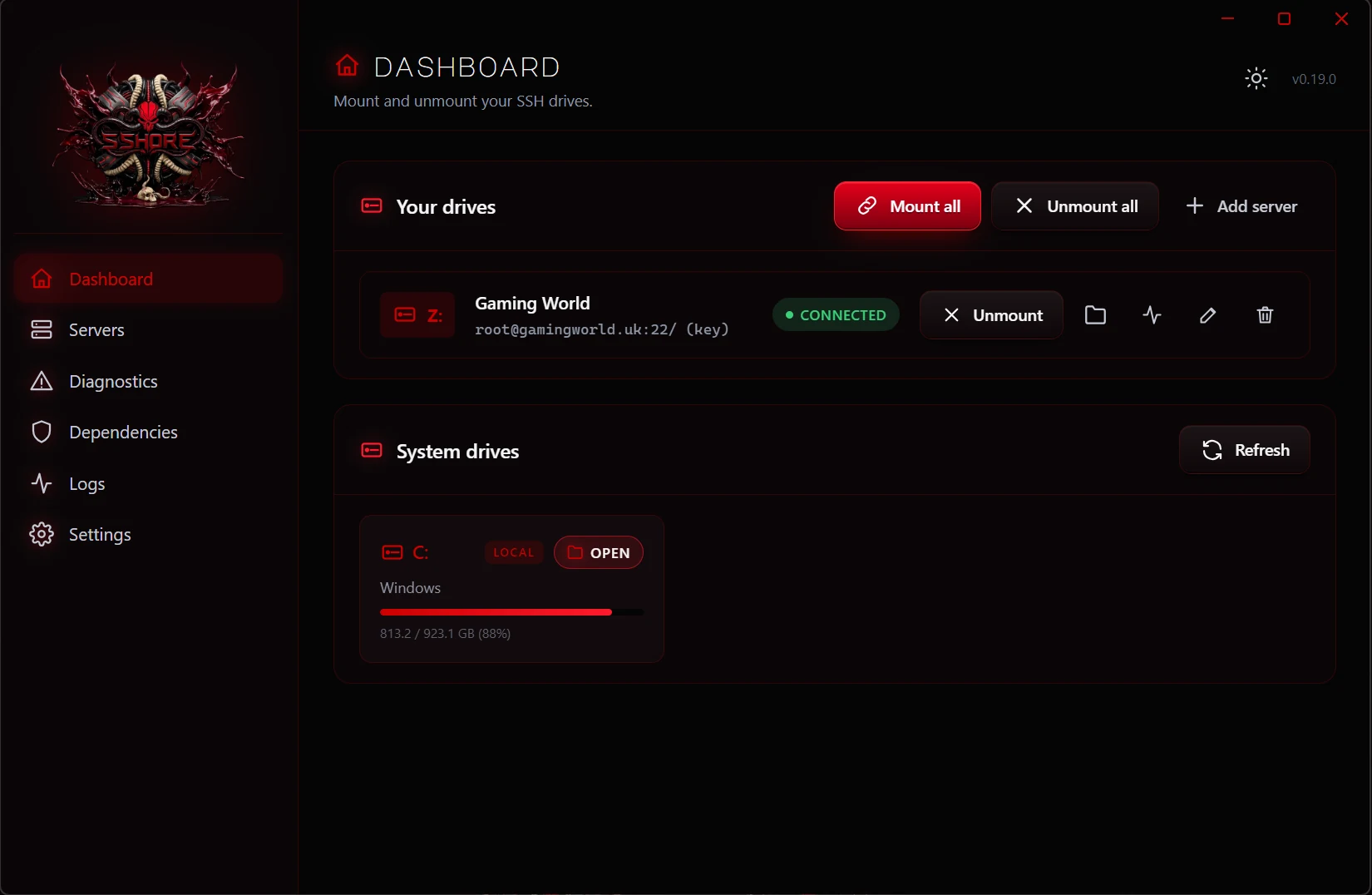
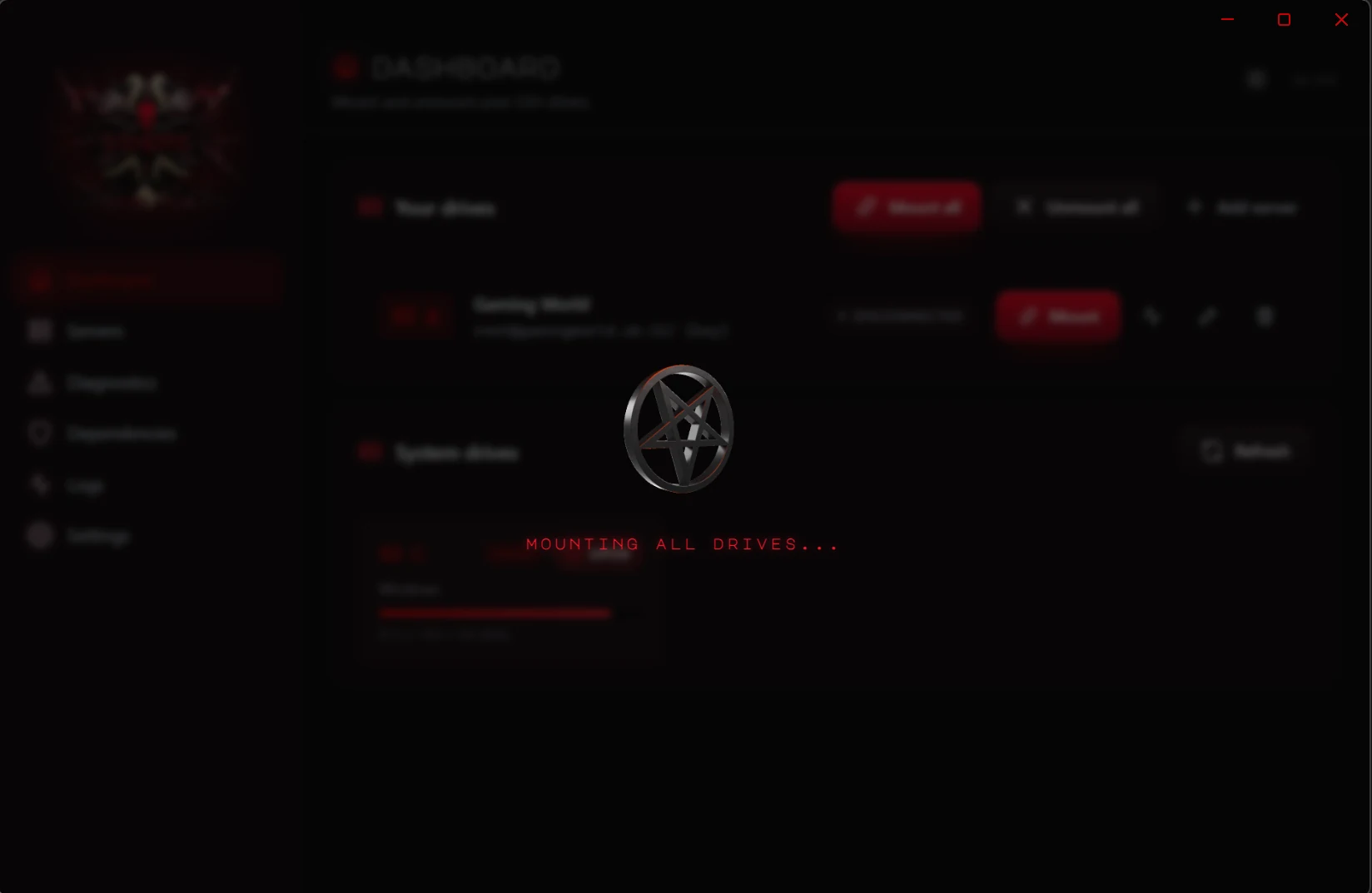
Hit Mount and a soft frosted overlay slides in while SSHFS-Win does the handshake. Once the drive is alive, the dashboard row flips to green, the drive letter starts breathing in Explorer, and SSHore shows you the usage bar on the system-drive card below.
09 · Diagnostics — a second opinion
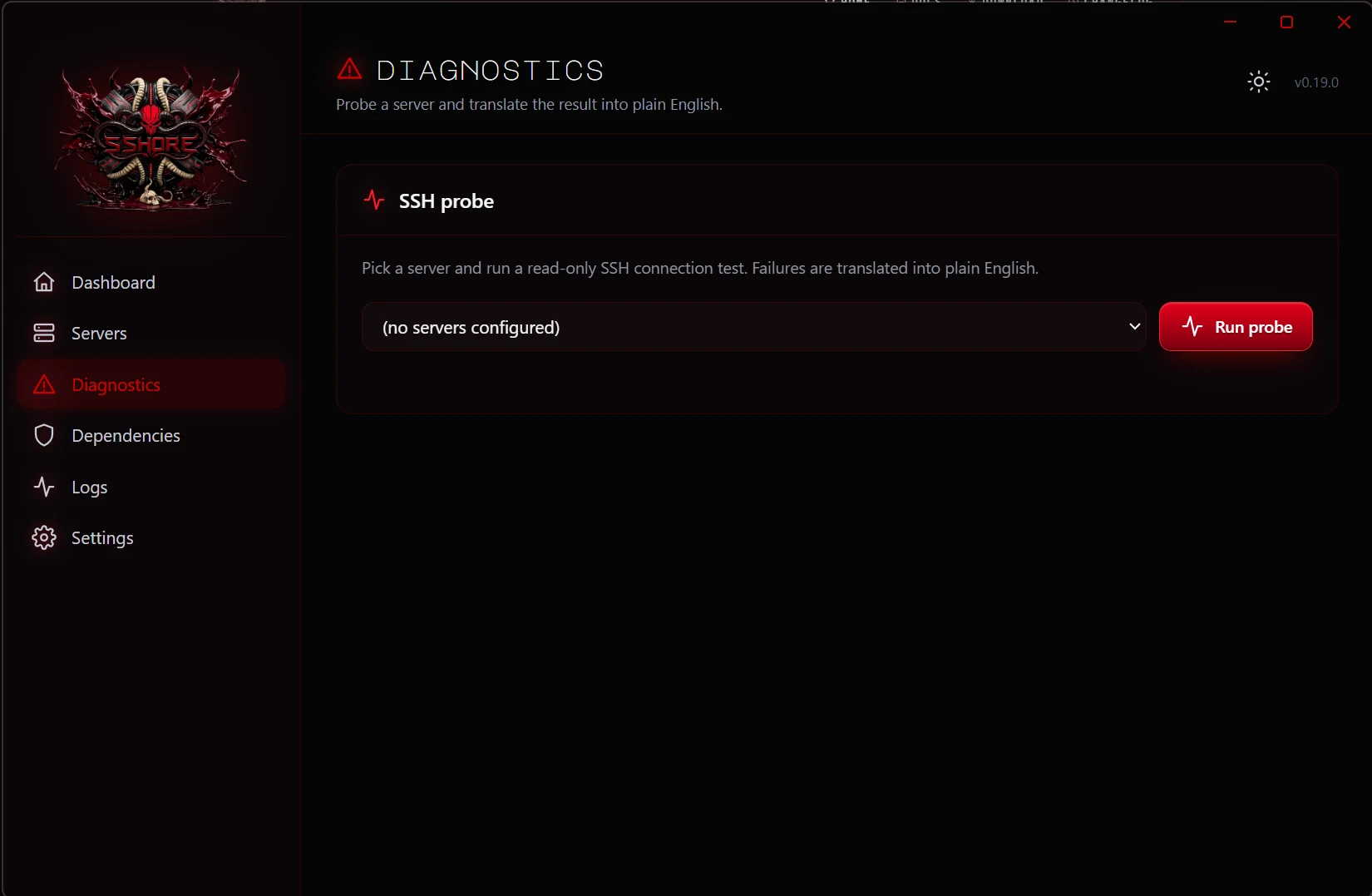
SSH will sometimes refuse to play. The Diagnostics view runs a real probe against the selected host, reports the exact error from the SSH client, and — when we can — offers an in-plain-English translation of what went wrong and what to do next.
10 · Dependencies — the two friends you need
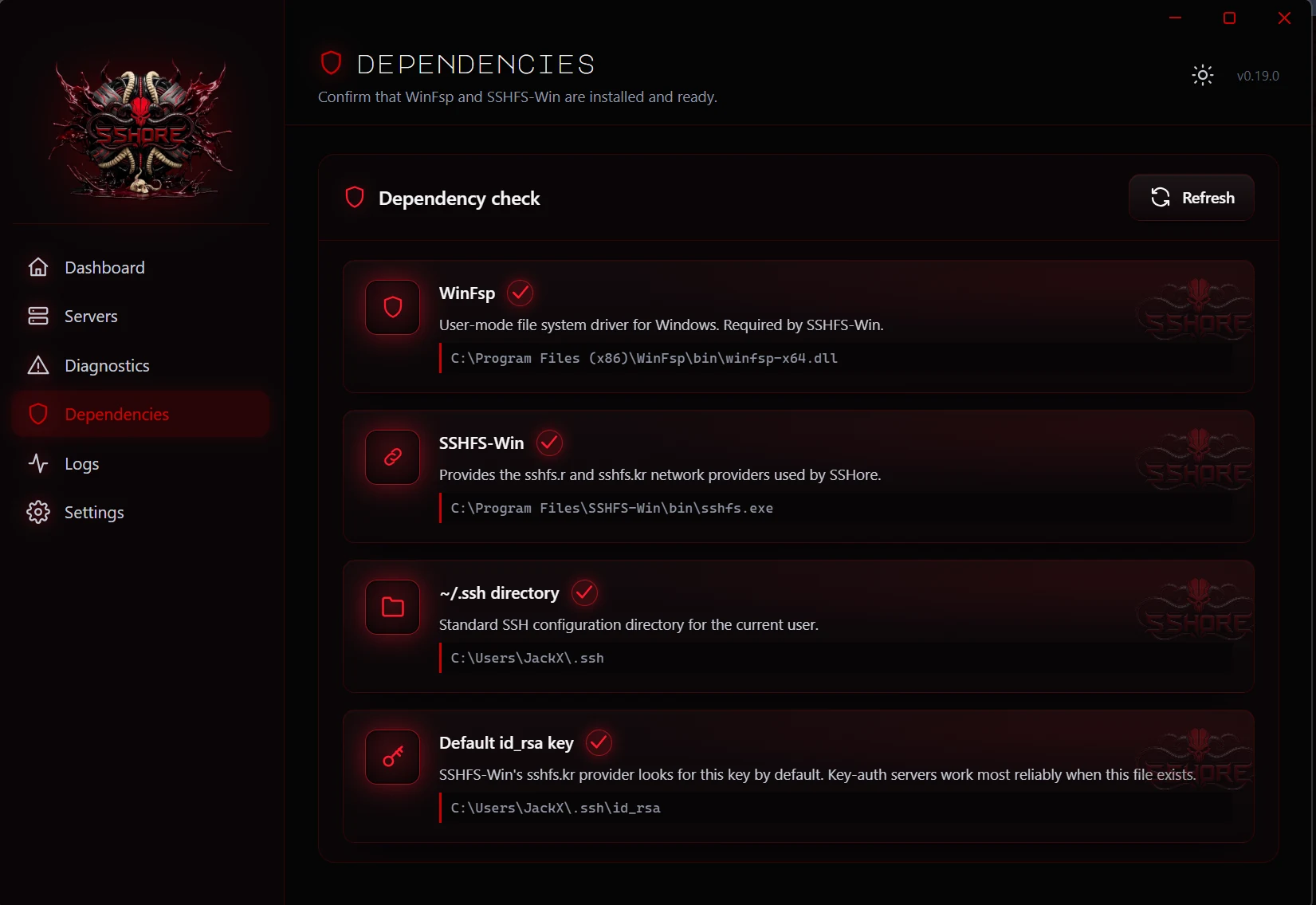
SSHore doesn't reinvent the mount layer; it leans on two excellent open-source projects: WinFsp for the user-mode file-system driver, and SSHFS-Win for the SFTP provider. The Dependencies view checks both on every launch and shows their exact install paths so you can see exactly what SSHore is talking to.
11 · Logs — the paper trail
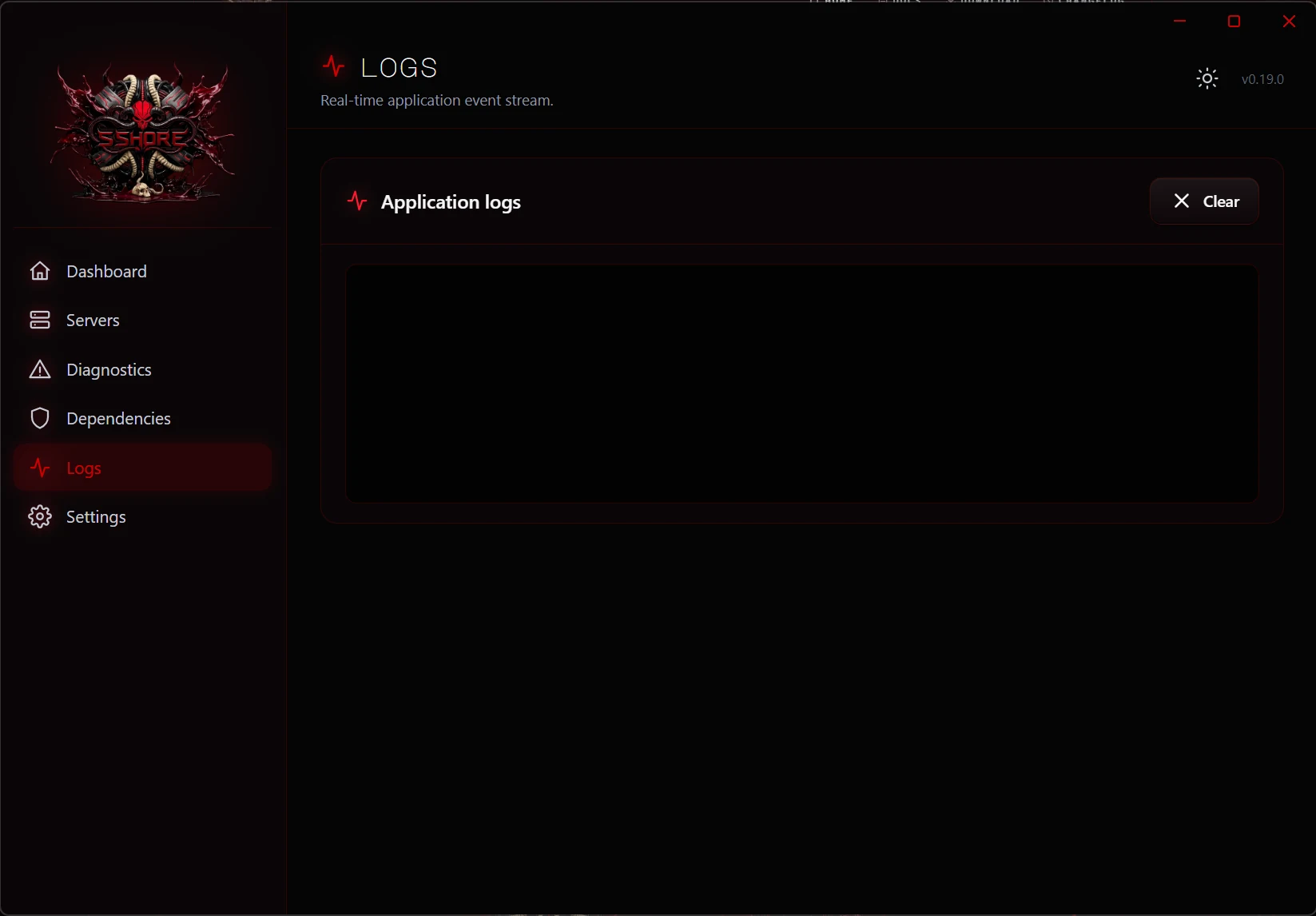
Every mount, unmount, probe, and error lands in the Logs view. When nothing has happened yet, the terminal shows a faint ghost icon and a quiet invitation — not a broken black rectangle — so you know everything is wired, just idle.
12–13 · Settings — your side of the room
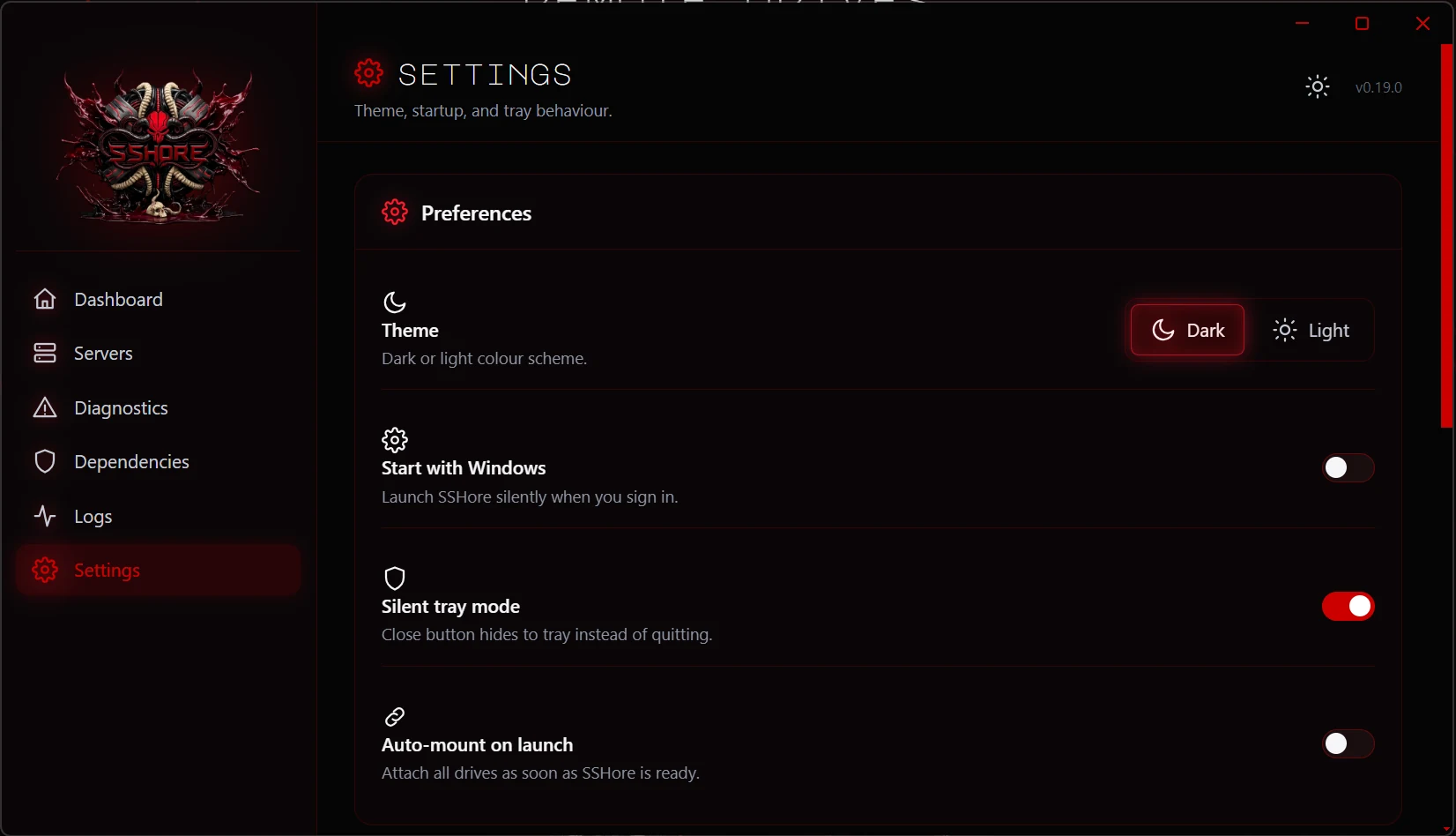
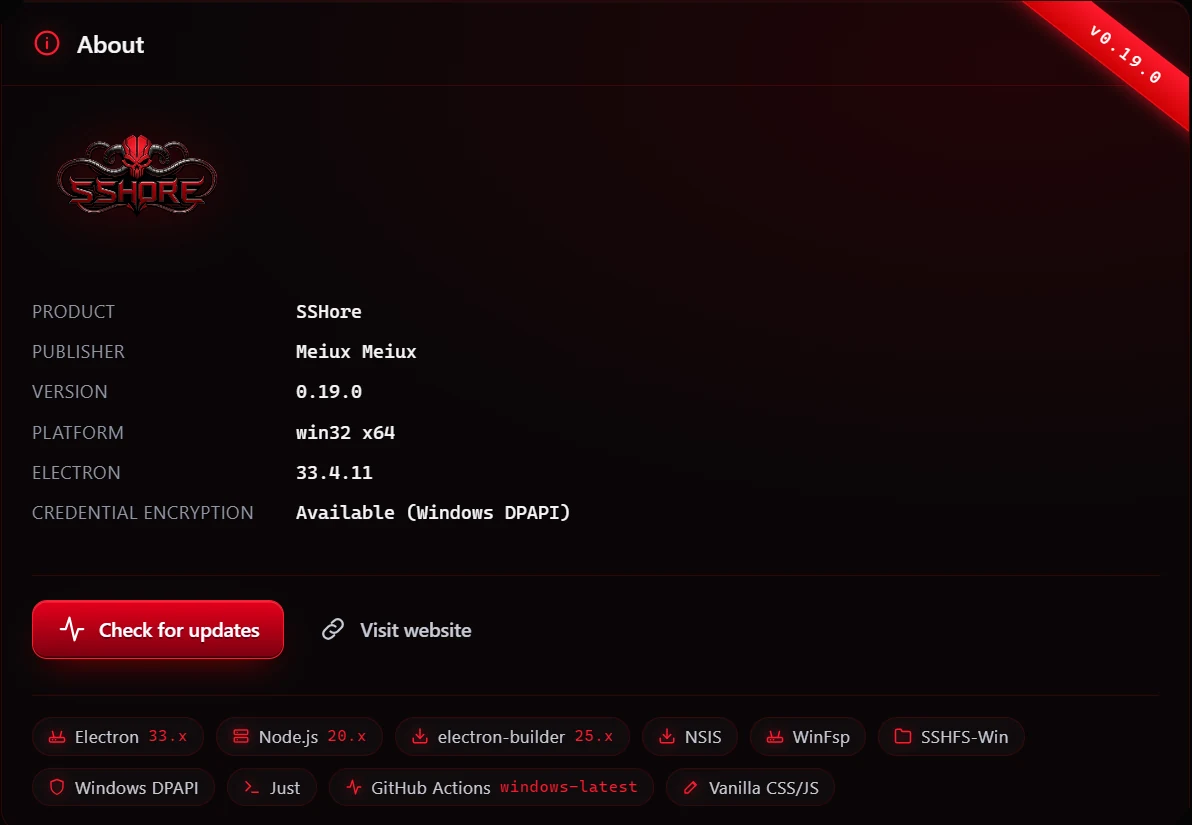
Settings is where SSHore quiets down. Toggle between the dark and light themes (the titlebar follows along in real time), opt into start-with-Windows and silent tray mode, and check the About panel for version, publisher, and a link back to the website.
Quick start for developers
just install
just dev
Full onboarding: see docs/quick-start.md.
Architecture
- Electron main process — mount orchestration, credential storage, IPC, dependency checks.
- Preload bridge — exposes a tightly scoped API to the renderer.
- Renderer — vanilla JS + HTML + per-component CSS. No build step.
See docs/architecture.md for the full map.
Tech stack
- Electron 33.x — Chromium + Node in one window, context-isolated preload.
- Node.js 20.x — main-process runtime, pinned in CI.
- electron-builder 25.x — packages the Win11 installer, signs binaries, emits blockmaps.
- NSIS — installer back-end; one-click silent installer (
build/installer.nshkeeps a single hook to terminate any running SSHore on reinstall). All onboarding — welcome, dependency check, ready — lives in the in-app first-run flow. - WinFsp — user-mode file-system driver. Required on the target machine.
- SSHFS-Win — SFTP mount provider built on WinFsp.
- Windows DPAPI — credential encryption via Electron
safeStorage. - Just — task runner (
just dev,just build,just ship). - GitHub Actions (
windows-latest) — builds the installer and deploys the website on every push tomain. - Vanilla CSS/JS in the renderer — no bundler, no framework, every file auditable.
Building a release
just build
Produces dist/SSHore-Setup-<version>.exe. The version is baked into the
filename so browsers never serve a stale cached copy across releases.
CI builds and website deploys happen automatically on push to main — see
.github/workflows/.
License
Proprietary. Copyright (c) 2026 Meiux Meiux.
Gallery
The full set.



Build something like this
Want a tool like this for your shop?
We've shipped this kind of thing before. Twenty-minute intro call, no slides.