ScanQRTo.WIN
QR-code contest platform — instant or delayed wins, prize stock, lead capture, all in one Go binary.
ScanQRTo.WIN is a contest-management platform for businesses running QR-code giveaways at events, in-store, or in marketing campaigns. Two contest modes — instant (the scanner finds out right away) and delayed (manual draw at a controlled moment) — with prize inventory, lead-capture forms, branded winner/loser/ waiting screens, win controls (force-win, daily caps, halt toggles), and real-time analytics. Ships as a single Go binary with the React frontend embedded; SQLite under it.
- Go
- Gin
- SQLite
- React
- Vite
- TypeScript
- Tailwind CSS
- WebSockets
- go-qrcode


ScanQRTo.WIN is a contest platform for the "scan this QR code, you might win" pattern — the dependable workhorse of trade-show booths, retail door-busters, festival sponsorships, and any other promotion that needs to convert foot traffic into a measurable list. Operators get a single admin where they configure prizes, win mechanics, branded screens, and lead-capture forms; participants scan, fill out the form, see the result. Everything funnels into one dashboard.
What's actually being modelled
- Two contest modes. Instant decides win/lose at scan time using configured probabilities and stock. Delayed queues entries and lets the operator run the draw later — the right call for live events where the reveal needs to happen on stage.
- Win controls — force a win (the next legitimate scan wins, regardless of probability), halt winning entirely, set per-day or per-campaign caps, edit win percentages on the fly. The operator stays in the loop without having to break the contest.
- Prize + stock management with sequential, probability-based, or hybrid distribution. Stock decrements live; prizes auto-deactivate when depleted; categories keep large prize pools organisable.
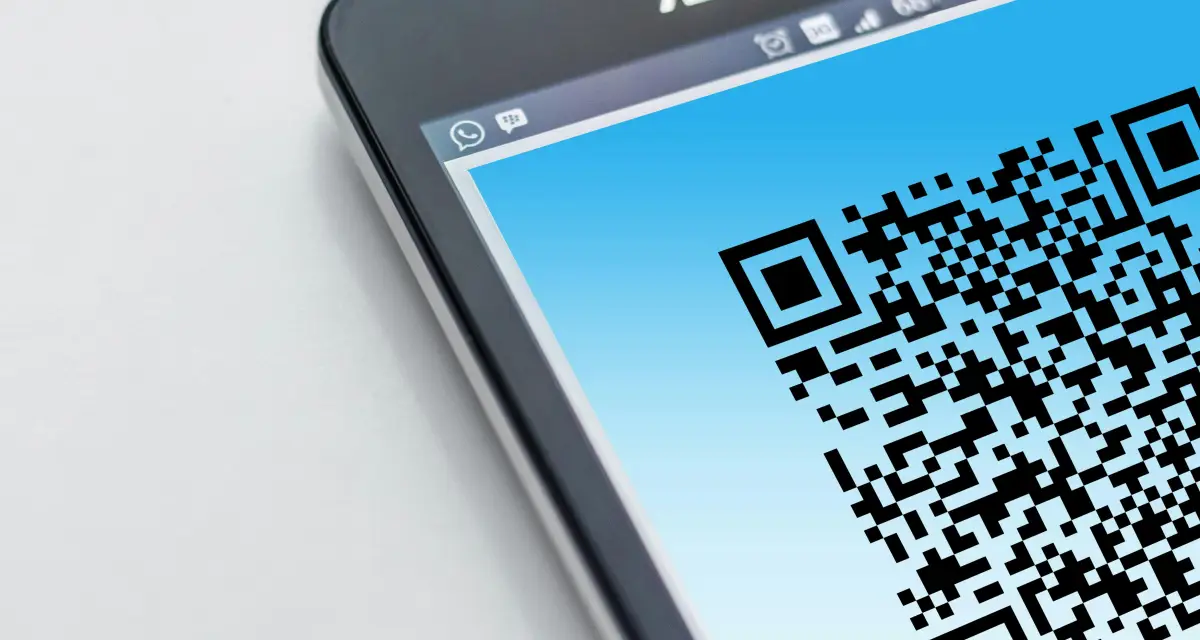
- Custom QR codes — shapes, colors,
embedded logos, advanced styling. Powered by
go-qrcode/v2; the admin previews each configuration before publishing. - Branded experiences per contest — winner / loser / waiting screens with custom themes, animations, and uploaded media. The platform stays invisible; the brand stays loud.
- Lead capture with 13+ field types, per-field validation, and webhook delivery to CRMs the moment a form submits. CSV / JSON export with filtering for the long-tail reporting that always gets asked for the day after the event.
- Anti-cheat plumbing — device fingerprinting to detect duplicate entries, real-time live feed of participants, archiving so historical campaign state can be restored without polluting the active leaderboard.
How it's built
Backend is Go + Gin + SQLite. The frontend is React + Vite + TypeScript + Tailwind, compiled once at build time and embedded into the Go binary so deploying the platform is one file plus a database. WebSockets push real-time scan events to the admin; an automatic polling fallback keeps things working when the WS layer is blocked. Single-binary deployment by design — drop it on a VPS, point a domain, run a campaign.
Why "ScanQRTo.WIN"
The domain is the call to action. The platform's job is to take a QR code on a flyer, a shirt, a sticker, a billboard — and turn whatever shows up on the other side into a measurable outcome the operator actually controls. Most QR contests in the wild are ad-hoc Google Forms gated behind a Bitly. ScanQRTo.WIN is what you reach for when "ad-hoc" stops being good enough.
Straight from the source
The project's own README.
Rendered in place — every link, image, and code block carried over from the repo. The page below is what a contributor would see opening the project for the first time.
Security screen redacted 2 lines flagged as potential secrets before publishing.
ScanQRTo.WIN
A comprehensive QR code contest platform built with Go, React, Vite, and Tailwind CSS. This professional-grade platform enables you to host sophisticated QR code-based contests, giveaways, and promotional campaigns with advanced features like delayed mode, prize management, lead capture, and real-time analytics.
🚀 About The Project
ScanQRTo.WIN is a production-ready contest platform designed for businesses, events, and marketers who need full control over their promotional campaigns. Running as a single binary with an embedded frontend, it provides enterprise-level features with simple deployment.
✨ Key Features
🎯 Contest Management
- Instant Mode: Traditional immediate win/lose determination with customizable probabilities
- Delayed Mode: Manual prize distribution perfect for live events and controlled giveaways
- Win Controls: Force wins, halt winning, set daily/total limits, and manage win percentages
- Session Archiving: Preserve historical data between campaigns with complete state restoration
🎨 Advanced Customization
- Professional QR Codes: Custom shapes, colors, logo embedding, and advanced styling options
- Branded Experiences: Fully customizable winner/loser/waiting screens with themes and animations
- Media Management: Upload and organize images, videos, and assets with automatic optimization
- Template System: Save and share complete contest configurations with team members
🏆 Prize & Giveaway System
- Multiple Distribution Modes: Sequential, probability-based, or hybrid prize distribution
- Stock Management: Real-time inventory tracking with automatic availability control
- Prize Categories: Organize prizes into logical groups for better management
- Winner Tracking: Complete fulfillment workflow with status updates and notes
📊 Lead Capture & Analytics
- Dynamic Forms: Build custom lead capture forms with 13+ field types and validation
- Webhook Integration: Real-time data delivery to CRMs and marketing platforms
- Export & Reporting: Comprehensive data export in CSV/JSON with advanced filtering
- Real-time Monitoring: Live participant feed with device detection and duplicate prevention
⚡ Performance & Reliability
- Real-time Updates: WebSocket-powered live updates with automatic polling fallback
- Device Fingerprinting: Advanced duplicate detection preventing multi-entry cheating
- Mobile Optimized: Responsive design ensuring perfect experience across all devices
- Single Binary Deployment: Zero-dependency deployment with embedded frontend and database
Built With
- Go (Backend)
- Gin (Web Framework)
- SQLite (Database)
- React (Frontend)
- Vite (Build Tool)
- Tailwind CSS (CSS Framework)
🏁 Getting Started
To get a local copy up and running, follow these simple steps.
Prerequisites
You will need the following software installed on your machine:
- Go (version 1.19 or higher)
- Node.js (version 16 or higher) & npm
Installation & Setup
- Clone the repository:
git clone https://github.com/your_username/scanqrto-unified.git cd scanqrto-unified - Configure Environment:
Create a
.envfile in the root directory and add the following variables.SERVER_PORT=8090 ADMIN_USERNAME=admin - Build Frontend Assets:
cd frontend npm install npm run build cd .. - Build and Run the Backend:
This command builds the Go server and starts it. The frontend is served from the
frontend/distdirectory.
Your server is now running atgo build -o scanqrto-server . ./scanqrto-serverhttp://localhost:8090.
📖 Usage Guide
Access Points
- Admin Panel:
http://localhost:8090/admin- Complete contest management interface - Public QR Display:
http://localhost:8090/- Main QR code display for participants - Scan Landing Page:
http://localhost:8090/play- Player experience and results
Quick Start Workflow
Initial Setup
- Access admin panel and change default password in System tab
- Configure basic contest settings in Controls tab
- Customize QR code appearance in Advanced QR tab
Design Your Experience
- Customize winner/loser screens in Play Design tab
- Upload brand assets through Media tab
- Configure duplicate player messaging in Duplicate Design tab
Choose Your Contest Mode
- Instant Mode: Set win percentage and let players scan for immediate results
- Delayed Mode: Enable from Delayed Mode tab, then use Start/Stop Contest controls
Optional Enhancements
- Set up prize system in Prizes tab with distribution modes
- Configure lead capture funnel for data collection
- Create templates to save configurations for future use
Delayed Mode Operations
See DELAYED-MODE.md for consolidated technical details.
For Live Events:
- Enable Delayed Mode and configure timer/display options
- Start Contest from Logs tab when ready to accept entries
- Monitor waiting entrants in real-time
- Use Disperse Prize button to manually award prizes
- Stop Contest when event concludes
Admin Features:
- Real-time entrant monitoring with similarity detection
- Manual prize override with thumbnail previews
- Auto-distribute remaining prizes option
- Archive and resume functionality for multi-day events
Admin Panel Overview
The admin interface is organized into intuitive sections:
Design Tabs
- Splash: Main QR display page customization
- Advanced QR: Professional QR code styling with shapes and logos
- Play: Winner/loser result screen design
- Duplicate: Repeat visitor screen customization
Management Tabs
- Controls: Win percentages, contest rules, and limits
- Prizes: Prize system with categories and distribution modes
- Delayed Mode: Manual contest management and screen design
- Templates: Save/load complete configurations
Data & Analytics
- Media: Upload and manage images, videos, and assets
- Logs: Real-time participant monitoring and management
- Archive: Historical campaign data and session management
Lead Generation
- Funnel: Lead capture form builder and triggers
- Leads: View captured data and webhook integration
System
- System: Security settings and admin password management
- Help: Comprehensive tutorials and feature documentation
🤝 Contributing
Contributions are what make the open source community such an amazing place to learn, inspire, and create. Any contributions you make are greatly appreciated.
If you have a suggestion that would make this better, please fork the repo and create a pull request. You can also simply open an issue with the tag "enhancement". Don't forget to give the project a star! Thanks again!
- Fork the Project
- Create your Feature Branch (
git checkout -b feature/AmazingFeature) - Commit your Changes (
git commit -m 'Add some AmazingFeature') - Push to the Branch (
git push origin feature/AmazingFeature) - Open a Pull Request
📜 License
Distributed under the MIT License. See LICENSE for more information.
Gallery
The full set.

Build something like this
Want a tool like this for your shop?
We've shipped this kind of thing before. Twenty-minute intro call, no slides.