

Deadend Deafchild
Audio-reactive music player for an industrial-electronic act — a single Go binary with the whole frontend embedded, MilkDrop visuals driven by precomputed beat/key/section analysis, and 83 tracks free to download.
Deadend Deafchild is the artist site for an industrial-electronic music project, rebuilt in 2026 as a Winamp-inspired single-page player. A MilkDrop (Butterchurn) visualizer runs behind the UI and the interface recolors itself from whatever the visualizer is doing, so the page looks different every time you load it. Since August 2026 the visuals run on precomputed analysis: every track is run once through an offline Essentia/librosa pipeline and the runtime schedules preset changes on real downbeats, section boundaries, and anticipated drops instead of a wall clock. Ships as one self-contained Go binary — the entire frontend is compiled in via embed.FS, with zero third-party Go dependencies — behind Apache on a small VPS. Audio streams as ~256k AAC from Google Cloud Storage while the original WAV/MP3 masters stay free to download. No admin panel, no auth, no database: one config file is the whole editing surface.
- Go
- JavaScript
- Web Audio API
- WebGL
- Butterchurn
- MediaSession API
- Python
- Essentia
- librosa
- Playwright
- Google Cloud Storage
- CSS
- Apache
- systemd
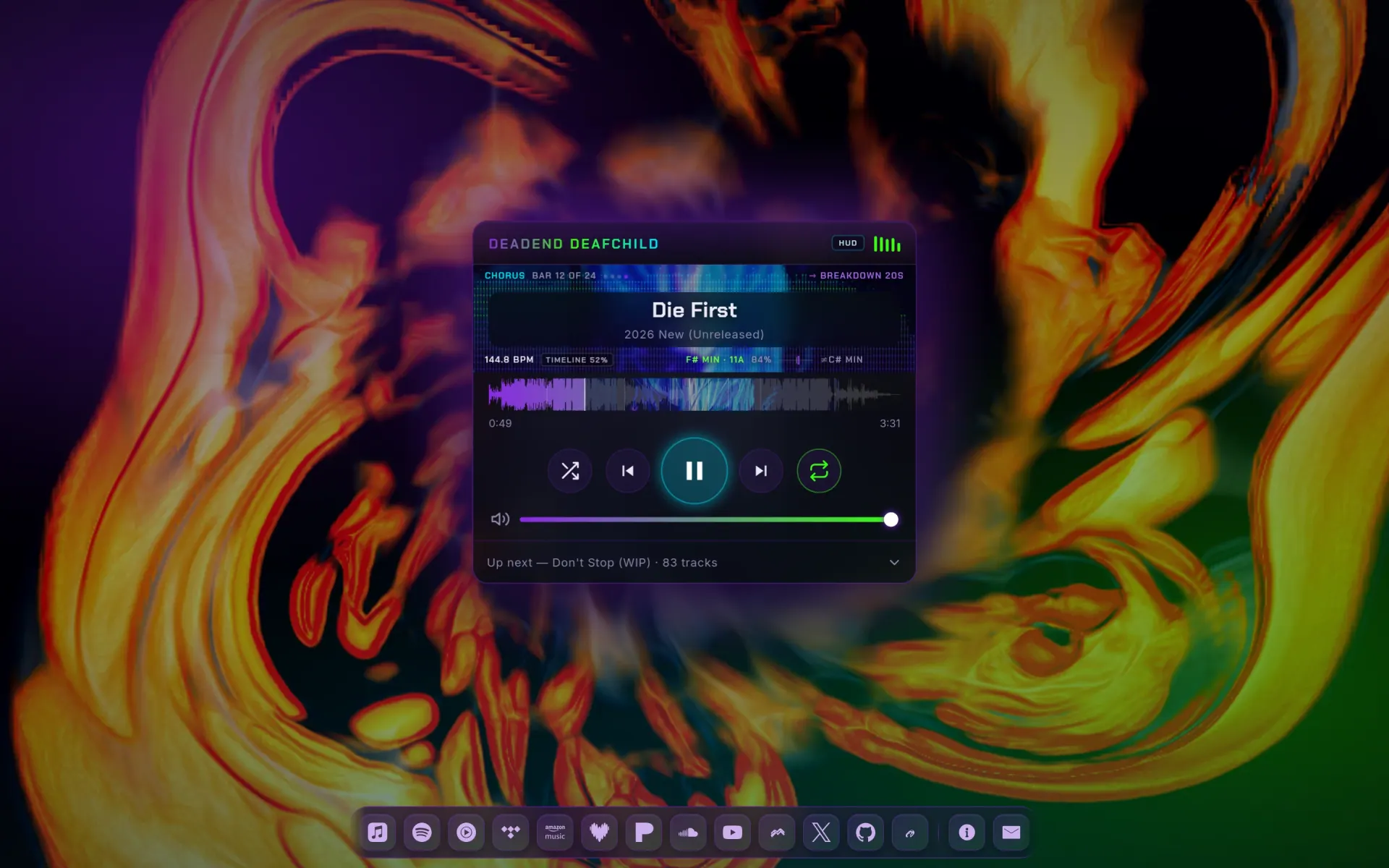



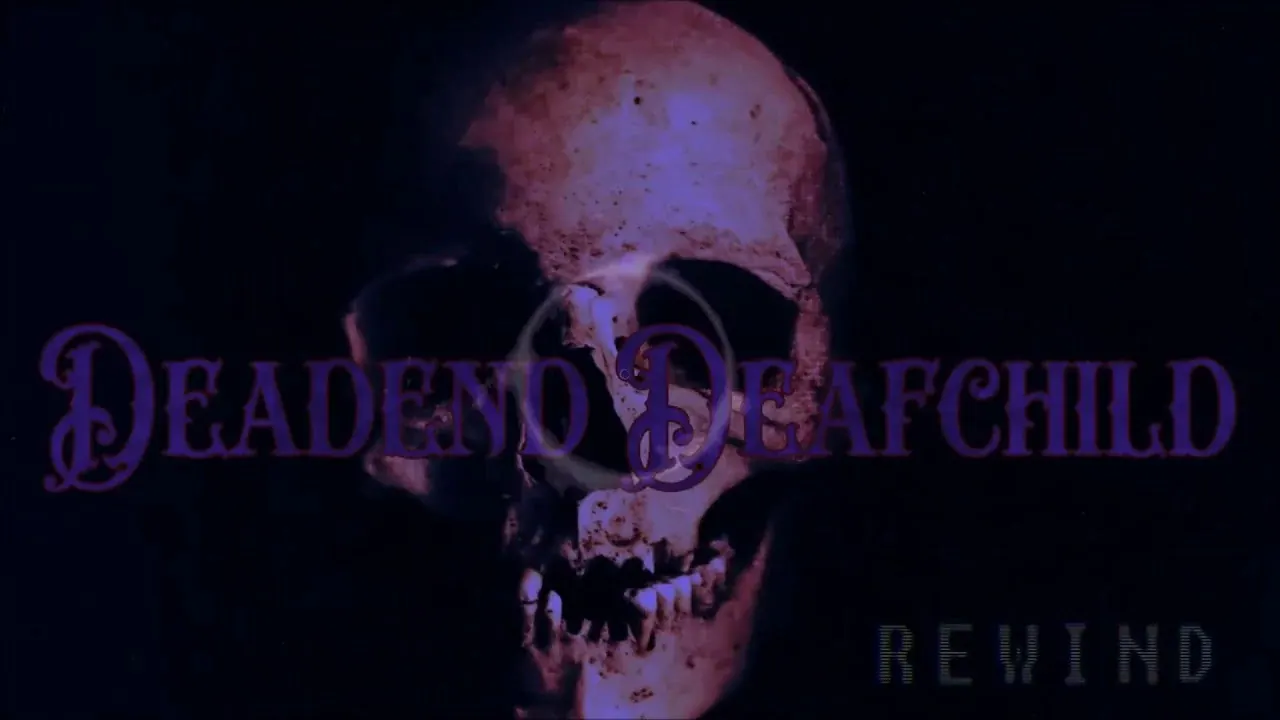
Deadend Deafchild is the artist site for an industrial-electronic music project. The 2026 build throws out the conventional artist-site shape — hero image, bio block, embedded Spotify iframe — and makes the player the entire site: a Winamp-inspired panel floating over a MilkDrop visualizer, with the full catalogue underneath it and a dock of platform links at the bottom.
The visual system
The background is Butterchurn, a WebGL reimplementation of MilkDrop, running a pool of 1,132 classic presets across two decks with a restrained crossfade mixer. It is lazy-loaded on first play — preset data that a visitor who never presses play never pays for. Preset changes are no longer on a timer: they land on downbeats every 4/8/16 bars, hard-cut on drops, and a section-aware signature effect ramps in on the build-up before a drop rather than reacting after it.
That is possible because the visualizer runs on
precomputed analysis, not live guessing. An
offline Python pipeline (ffmpeg → Essentia + librosa)
analyses every master once — beat grid, tempo, key, section
boundaries with lead-in times, multi-band envelopes, waveform
peaks — and ships a small JSON per track that the runtime reads by
audio.currentTime. The whole corpus takes about 14
minutes on a 4-core box; a track with no analysis file falls back
to the original live-DSP path. A hidden, browser-local control
room (no server-side admin surface) exposes live diagnostics, 84
tuning settings, the preset browser, and per-track preset pins,
all persisted in localStorage.
The part worth stealing is the feedback loop: a Web Audio analyser drives a spectrum strip inside the player, and the UI samples its accent colors back out of the live visualizer. Play a track and the buttons, the seek fill, and the volume slider all drift toward whatever palette the current preset happens to be in. Four hand-tuned base themes sit underneath as a floor, so the page still reads as branded when the visualizer is dark.
One binary, no dependencies
The backend is Go with an empty dependency list —
stdlib only, and the whole frontend (HTML, CSS, JS, fonts, icons,
vendored visualizer) compiled in through embed.FS.
Deploying is copying one file and restarting a systemd unit; there
is no build step on the server, no node_modules, and
nothing to drift out of sync. The server bundles and gzips CSS and
JS at startup and sets its own security headers, which is most of
what a framework would have been doing anyway.
A second small command walks the audio tree and generates the playlist manifest — durations, file sizes, formats, and the public storage URLs for both the streaming copy and the original master. Adding music is: drop files in, transcode, regenerate, redeploy.
Audio delivery
Streams are ~256k AAC served from Google Cloud Storage with CORS and range requests enabled, so seeking is instant and the VPS never touches audio bandwidth. Every track also links its untouched master — 83 tracks across 8 albums, roughly 5¾ hours, free to download, mostly WAV, including eight tracks recovered from a Google Takeout archive via a cost-bounded, range-read recovery script. The playlist shows per-track artwork thumbnails. The MediaSession API is wired up, so the lock screen and Android Auto get real track metadata and transport controls instead of "unknown media."
What it replaced, and why
The previous version of this site was a hand-rolled PHP CMS with an admin panel, SQLite, visitor fingerprinting, and a system-info dashboard. It worked, but almost none of it was used: the catalogue changes a few times a year, and every edit still meant logging into a CMS to change text that could have been a constant. The rebuild deleted the admin panel, the database, and the auth layer outright and replaced them with a single config file. That trade — no runtime editing, in exchange for no attack surface and no moving parts — is the right one for a site whose content is a finite, slow-moving list.
It also got faster by a lot. Lighthouse mobile lands at 99 performance, 100 accessibility, 100 best practices, 100 SEO — on a page whose whole premise is a continuously-rendering WebGL scene.
Straight from the source
The project's own README.
Rendered in place — every link, image, and code block carried over from the repo. The page below is what a contributor would see opening the project for the first time.
Deadend Deafchild
A single-page, fully audio-reactive music player — Winamp-inspired UI, Milkdrop (Butterchurn) background, and lock-screen / Android-Auto controls via the MediaSession API. Go backend (single static binary, embedded frontend); audio is streamed from Google Cloud Storage.
No admin panel, no auth, no database. To change anything visible, edit
web/js/config.js (colors, themes, links, contact, visuals).
Architecture
cmd/server        HTTP server (embeds web/, serves /api/playlist + bundled assets)
cmd/manifest      Scans AAC + originals -> data/manifest.json (durations, GCS URLs)
internal/server   Routing, gzip, CSS/JS bundling, security headers
internal/playlist Manifest types + loader
web/              Frontend: index.html, css/*, js/* (small modules), fonts, icons, vendor
deploy/           systemd unit + GCS CORS policy
scripts/          transcode.sh, verify.mjs, shot.mjs (Playwright)
scripts/analyze/  offline MIR pipeline (see docs/audio-analysis-pipeline.md)
data/analysis/    per-track beat grid, key, sections, envelopes, waveform peaks
The hidden browser-local visualizer control room is documented in docs/visualizer-lab.md. It exposes live diagnostics, runtime tuning, the 1,132-preset browser, and per-track/section preset pins without adding a server-side admin surface.
The visualizer runs on precomputed analysis, not live guessing: every track
is analysed once offline and the runtime reads its beat grid, key, section
boundaries and envelopes by audio.currentTime. A track with no analysis file
falls back to the original live-DSP path. See
docs/audio-analysis-pipeline.md.
Audio:
- Streams: AAC ~256k at
gs://dedc-music/stream/<Album>/<Track>.m4a(public, CORS, range). - Downloads: originals (WAV/MP3) at
gs://dedc-music/original/.... - Albums = folders, mirrored from the legacy
assets/audio/tree.
Develop
# 1. transcode source audio -> media/aac (one-time / when music changes)
JOBS=3 bash scripts/transcode.sh

# 2. (re)generate the playlist manifest
go run ./cmd/manifest \
  -streamBase "https://storage.googleapis.com/dedc-music/stream" \
  -dlBase     "https://storage.googleapis.com/dedc-music/original"

# 3. build + run
go build -o bin/dedc-server ./cmd/server
./bin/dedc-server -addr 127.0.0.1:8200

# verify in a headless browser
node scripts/verify.mjs http://127.0.0.1:8200
Fast offline checks require no media download, Cloud Storage access, or browser:
go test ./... && go vet ./...
npm test
python3 -m compileall -q scripts tests
python3 -m unittest discover -s tests -v
The same checks run on every pull request through .github/workflows/validate.yml.
Deploy
Runs behind Apache (deadenddeafchild.com) as a reverse proxy to 127.0.0.1:8200.
go build -o bin/dedc-server ./cmd/server
sudo cp deploy/dedc.service /etc/systemd/system/
sudo systemctl daemon-reload && sudo systemctl enable --now dedc
Lighthouse (mobile): Performance 99 · Accessibility 100 · Best Practices 100 · SEO 100.
Gallery
The full set.

















Build something like this
Want a tool like this for your shop?
We've shipped this kind of thing before. Twenty-minute intro call, no slides.